Network Cable Testing Methods and Their Applications
There are several network cable testing methods to assess the quality and performance of network cabling, each designed to identify specific issues. These tests include continuity, length, attenuation, NEXT, propagation delay, channel and permanent link testing, and PoE checks. They help verify correct connections and ensure fast, reliable data transmission.
خلاصه تخصصی مقاله
There are several network cable testing methods to assess the quality and performance of network cabling, each designed to identify specific issues. These tests include continuity, length, attenuation, NEXT, propagation delay, channel and permanent link testing, and PoE checks. They help verify correct connections and ensure fast, reliable data transmission.
موضوعات اصلی: Cable، Network، cabling، Cat6، networks، Length
Network Cable Testing Methods and Their Applications
There are several methods to test network cables, each aimed at examining a specific aspect of cable performance. These methods help identify physical faults, signal degradation, and non-compliance with network standards, playing a crucial role in ensuring network stability and speed. Below are the most important network cable testing methods and their applications.
- Learn more: How to test and troubleshoot network cabling
Continuity Test
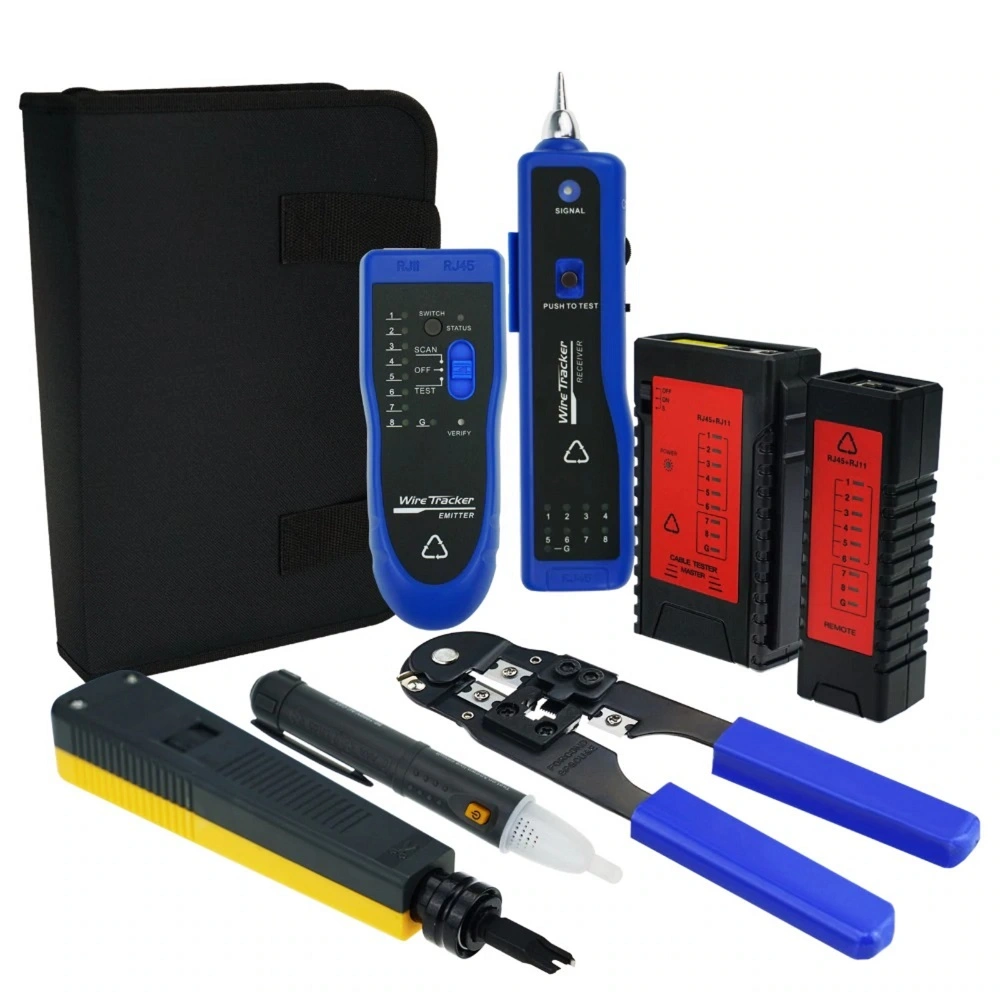
This is the most basic and common method for checking cables. It determines whether all conductors are connected from end to end and also identifies opens, shorts, pair misplacements, or incorrect color codes (T568A/B). It is typically used during initial installation or post-repair checks.
Length Test
This method measures the actual length of the cable and compares it to the allowable limit. For copper cabling, the typical maximum length is 100 meters. It can also indicate the approximate location of a fault or break in long cable runs.
Attenuation
Attenuation measures the power loss of the signal along the cable. Longer runs or poorer cable quality increase attenuation, which can reduce data throughput, increase error rates, and cause instability. Advanced testers are used for these measurements.
Near-End Crosstalk – NEXT
This test assesses electromagnetic interference between cable pairs at the near end. High NEXT usually results from poor pair twist, low-quality cabling, or improper installation and directly affects performance on high-speed networks.
Propagation Delay
This test measures the time it takes for a signal to travel from one end of the cable to the other. In professional networks, large delays can disrupt data synchronization and are particularly important for gigabit networks and above.
Channel
The Channel test covers the entire network path, including main cable, patch cords, jacks, and patch panels, to evaluate real-world link performance and compatibility with network standards.
Permanent Link
The Permanent Link test assesses fixed cabling (cable, jack, and patch panel) without considering patch cords. This method is commonly used to certify structured cabling quality for project handovers.
PoE Testing
PoE testers verify voltage and power delivery to devices such as IP cameras and VoIP phones, ensuring proper operation and protection against faulty cabling in PoE-enabled networks.
Fluke Testing
Fluke testers are among the most professional tools for evaluating copper and fiber cabling. They are typically used in large, structured networks to assess both physical cable parameters and actual link performance. A test run begins with one end connected to the main unit and the other to the remote unit; fiber testing uses fiber adapters. The device then performs the selected test and presents results as graphs or tables, indicating any opens, noise, attenuation, or excessive crosstalk. Based on these results, cable quality and link integrity can be analyzed, and repairs or replacements planned if needed.
Standard Cabling Testing
Standard cabling testing ensures that cables, connectors, and the entire path comply with international standards. A common cabling type in modern networks is Cat6. The test includes verifying cabling integrity, pair quality, length, and data transmission capability at high speeds. The RJ45 connector must be properly punched and the wire order must conform to T568A or T568B. Length and attenuation measurements, as well as NEXT/FEXT and propagation delay checks, ensure proper performance in gigabit networks.
Comparison Table of Network Cable Testing Methods
| Testing Method | Test Objective | Application | Suitable Cable |
|---|---|---|---|
| Continuity | Check conductor integrity and identify opens/shorts | Post-installation or post-repair verification | Cat5, Cat5e, Cat6, Cat6a |
| Length | Measure actual length and locate faults | Troubleshooting long cables | Cat5, Cat5e, Cat6, Cat6a |
| Attenuation | Assess signal loss along the cable | Evaluate data transmission quality | Cat5, Cat5e, Cat6, Cat6a |
| Next | Assess electromagnetic interference between pairs | Ensure signal quality for high-speed networks | Cat5e, Cat6, Cat6a |
| Propagation Delay | Measure signal travel time | Gigabit networks and above | Cat5e, Cat6, Cat6a |
| Channel | Evaluate the entire path including cables and panels | Real-world link performance | Cat5e, Cat6, Cat6a |
| Permanent Link | Verify fixed cabling excluding patch cords | Quality assurance for structured cabling | Cat5e, Cat6, Cat6a |
| PoE | Check voltage and power delivery | PoE devices like IP cameras and VoIP phones | Cat5e, Cat6, Cat6a |
| Fluke | Comprehensive testing including length, attenuation, NEXT, delay and PoE | Professional projects and large networks | Cat5e, Cat6, Cat6a and fiber |
Parameters of Network Cable Testing
Network cable testing involves several key parameters that directly affect quality and performance. Understanding these parameters is essential for installation, troubleshooting and ensuring correct network operation. The main parameters include
Continuity
Checks whether all conductors are properly connected from end to end. Opens, shorts or pair misplacements disrupt the network.
Length
Measures the actual cable length to ensure it does not exceed standard limits and is suitable for data transmission. In copper networks, typical maximum length is 100 meters.
Attenuation
Indicates signal power loss along the cable. High attenuation reduces speed and reliability.
Crosstalk – NEXT/FEXT
Assesses electromagnetic interference between pairs. Excessive crosstalk degrades data quality on high-speed networks.
Propagation Delay / Delay Skew
Measures the time for a signal to traverse the cable and any skew between pairs. Large skew can affect data synchronization.
Wire Map
Shows whether the wire order at the cable and connector follows the standard (T568A/B).
Channel and Permanent Link
Channel evaluates the entire network path; Permanent Link evaluates fixed cabling only.
PoE Voltage and Power
For PoE-enabled cables, it is essential to verify delivered voltage and power to devices such as IP cameras and VoIP phones.
Standards Certification
Verifies that the cable meets Cat5e, Cat6 or Cat6a standards and supports the intended network speed.
Conclusion
Network cable testing is a critical activity in installation, maintenance and troubleshooting of computer networks. By performing these tests, one can ensure that cables, connectors and the entire path reliably transfer data at the required speed. Cable testing—especially for Cat5e, Cat6 and Cat6a—plays a vital role in guaranteeing performance. The tests cover continuity, length, attenuation, crosstalk, propagation delay, wire map and channel/permanent link assessments. With professional equipment like Fluke testers, all parameters can be measured precisely, and issues such as open circuits, excessive noise or interference can be identified. This helps ensure correct RJ45 cabling and network capability for desired speed and quality.
For evaluating reliability and maintenance of this infrastructure, refer to the network support guide.
برای ارزیابی پایداری، امنیت و نگهداری این زیرساخت، راهنمای پشتیبانی شبکه را نیز مطالعه کنید.