A Comprehensive Overview of Ethernet Technology: Types, Benefits, and Drawbacks
Beyond wireless networks, wired Ethernet remains essential for secure, high‑performance connectivity within organizations. This article explains what Ethernet is, its types, and the main advantages and disadvantages.
خلاصه تخصصی مقاله
Beyond wireless networks, wired Ethernet remains essential for secure, high‑performance connectivity within organizations. This article explains what Ethernet is, its types, and the main advantages and disadvantages.
موضوعات اصلی: Ethernet، data، speed، networks، devices، stability
What is Ethernet?
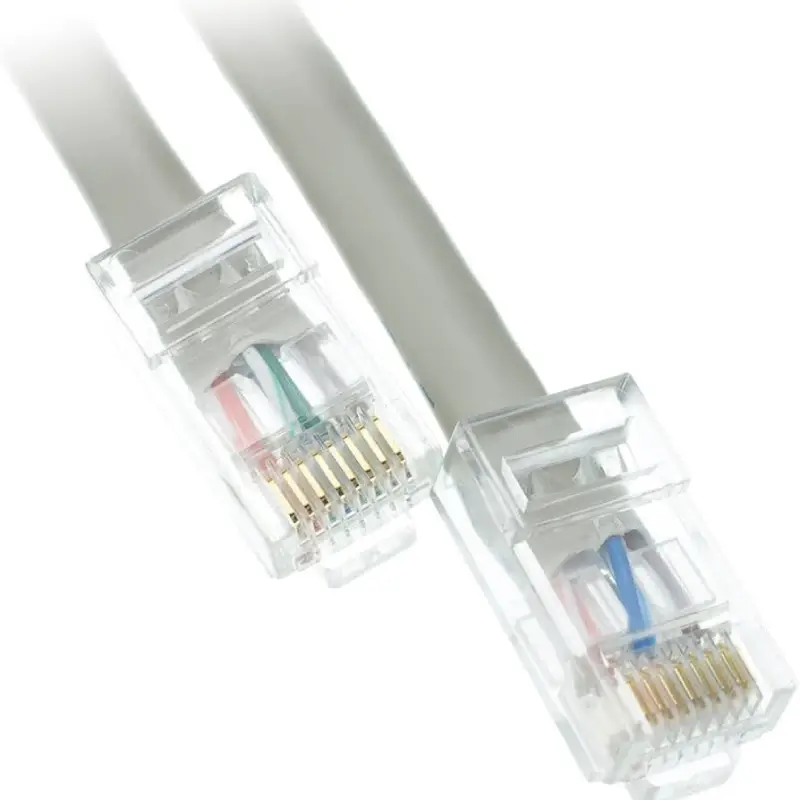
Ethernet is one of the most widely used local area network (LAN) technologies that uses cables such as Cat5 and Cat6 to connect devices to the network. This wired connection transmits data over cables and offers advantages in speed, stability, and security over Wi‑Fi. Ethernet enables a local network that connects several devices within a limited range and, due to its high bandwidth and low latency, is ideal for tasks requiring high bandwidth such as video streaming and online communications.
Types of Ethernet and their differences
Ethernet has been released in different models with distinct speeds and features. The main types of Ethernet are reviewed below.
1) Fast Ethernet
This Ethernet type, known as 100Base‑T, transmits data at 100 megabits per second. It is suitable for general use in small networks and homes and typically uses Cat5 cables. Although slower than newer models, it remains in use in some networks due to lower cost and simpler deployment. In home networks, small offices, and older systems that do not require higher speeds, it is used.
2) Gigabit Ethernet
Gigabit Ethernet, known as 1000Base‑T, increases data rate to 1000 Mbps. Widely used in modern networks; supports higher bandwidth for streaming video, online gaming, and latency‑sensitive apps. Usually compatible with Cat5e or Cat6; replaces Fast Ethernet in modern networks.
3) 10 Gigabit Ethernet
10 Gigabit Ethernet, called 10GBase‑T, increases to 10 Gbps. Used in data centers, high‑volume networks and advanced applications such as large servers and transferring large data. Needs cables like Cat6a or Cat7 or fiber optics. Not as widespread as the previous models but growing fast in professional environments and data centers seeking high bandwidth.
4) 40 Gigabit Ethernet
40 Gbps; used for very large data transfers at scale. In data centers, telecom infrastructure, and specialized applications in advanced industries. Typically uses optical fiber to achieve maximum speed; used in data processing of large datasets.
5) 100 Gigabit Ethernet
100 Gbps; mainly used in very large environments like data centers and large telecom networks. For applications requiring extremely large bandwidth like transfers between data centers, cloud storage, and supporting large Internet networks. Typically uses optical fiber for minimal signal loss.
Advantages and disadvantages of Ethernet in networks
Because of its wired connectivity, Ethernet has significant advantages over wireless networks. In addition to high speed, it offers stability and security that make it suitable for professional and everyday use. Here are some key advantages:
- Speed: Ethernet connections are usually faster than Wi‑Fi since data is transmitted directly over cables; wireless networks rely on radio waves which can reduce speed and stability.
- Stability: Cable implementation makes Ethernet more stable; interference and environmental factors are less likely to disrupt it.
- Security: Security is also better with Ethernet as only devices connected to the cable can access the network; Wi‑Fi is more prone to intrusion and cyberattacks.
Disadvantages of Ethernet
Despite its advantages, Ethernet has constraints, such as physical infrastructure requirements and limited mobility. Some drawbacks include:
- Access limitations: Adding new users requires free ports and extra cables; many modern devices like tablets and smartphones lack Ethernet ports.
- Inflexibility: Being tethered to cables reduces flexibility and makes moving devices harder.
- High cost: Setting up and expanding Ethernet requires specialized equipment, which can be costly; in small environments costs are lower, but in larger spaces like offices or campuses, wiring and expertise are needed.
Applications of Ethernet
Due to speed, stability, and security, Ethernet is used in many areas:
- Home networks: PCs, gaming consoles, and smart TVs connected to the Internet for speed and stability.
- Office and commercial environments: fixed connectivity for PCs, servers, and network equipment to improve performance and reduce downtime.
- Industrial and automation systems: Ethernet industrial to control devices and automation systems due to higher reliability.
- Online gaming and video streaming: reduces latency and improves connection speed compared with wireless.
- Security and surveillance systems: cameras and security systems use Ethernet for stable data transfer to servers or control centers.
Using Ethernet at home
While wireless is convenient, Ethernet can offer significant performance improvements in some cases. A mix of wired and wireless connections allows taking advantage of speed, security and stability for certain devices and applications. Examples of useful scenarios include:
- Storage and data transfer: using NAS or networked media server for fast file transfers and smooth playback.
- Online gaming: wired connection reduces lag and latency compared with wireless.
- Work from home and online meetings: a stable and secure connection for connecting to company servers or online meetings.
How to set up a home Ethernet network?
To set up Ethernet at home, you need proper equipment. The main items are:
1) Ethernet‑enabled devices
Some devices like laptops, gaming consoles or smart TVs do not have an Ethernet port; but if they have a USB port, you can use a USB‑to‑Ethernet adapter.
2) Router or modem
The router acts as the network’s central point and you should connect all Ethernet devices to it. Most modern routers have multiple Ethernet ports; if not enough, you can add a network switch to increase port count.
3) Ethernet cables
Choose cables such as Cat5e, Cat6 or Cat7 depending on your needs. The higher the category, the higher the speed and data quality.
What is the difference between Ethernet and Wi‑Fi?
Choosing between Ethernet and Wi‑Fi depends on your needs. If you seek maximum speed, security and stability, Ethernet is better; if global access and connectivity from anywhere is important, wireless networks may be better. For an optimal home experience, combining both approaches can be the best solution.
The future of Ethernet
Ethernet remains one of the most stable and efficient networking technologies, and it is expected to continue to improve in speed and capabilities. Projections suggest that by 2030 Ethernet could offer higher capacities such as 800 Gbps or even higher in official standards. With advances in AI, Internet of Things and big data, the need for faster and more stable connectivity grows, and Ethernet will continue to play a major role in the digital communications future.
Summary
Ethernet is a widely used wired networking technology that uses Cat5/Cat6 cables to connect devices to the Internet and transfer data at high speed with more stability than Wi‑Fi. Main types include Fast Ethernet, Gigabit Ethernet, 10 Gigabit Ethernet and 100 Gigabit Ethernet with different speeds to meet various needs. As technology evolves, Ethernet speeds and capabilities are expected to grow significantly.
برای ارزیابی پایداری، امنیت و نگهداری این زیرساخت، راهنمای پشتیبانی شبکه را نیز مطالعه کنید.