What is Network Equipment? Types and Uses
Network equipment forms the backbone of connectivity, enabling data exchange, resource sharing, and security. This article defines network equipment, categorizes them into active and passive, explains the use cases for each, and discusses selection, maintenance tips, and current trends in networking.
خلاصه تخصصی مقاله
Network equipment forms the backbone of connectivity, enabling data exchange, resource sharing, and security. This article defines network equipment, categorizes them into active and passive, explains the use cases for each, and discusses selection, maintenance tips, and current trends in networking.
موضوعات اصلی: Network، equipment، devices، include، access، security
Computer networks play a fundamental role in data exchange, access to shared resources, and data management. Network equipment are the backbone of these infrastructures, and without them the network topology cannot function. In this article we provide a clear definition of network equipment, then categorize them into active and passive and describe the use cases for each group. We also present tips for optimal selection and maintenance and review current trends in networking.
Definition of network equipment
Network equipment comprises devices, tools, and peripherals used to transmit, manage, and secure data within a computer network. These components enable connectivity between client devices, servers, and the Internet. In broad terms, without elements such as routers, switches, cables, and other gear, data transfer is not feasible.
Active vs. Passive Equipment
Generally, network equipment falls into two categories:
- Active devices require a power source and primarily perform data processing and packet routing.
- Passive devices do not require power and are mainly used in physical infrastructure such as cabling and cable management.
This classification helps network managers prioritize power, cooling, and maintenance needs.
Active network equipment
Router
A router connects different networks. It analyzes IP addresses to determine the optimal path for packets and forwards them to their destination. Key uses include:
- Connecting an internal network to the Internet
- Subnetting and network segmentation
- Implementing security features such as firewalls and VPNs
Routers come in consumer and enterprise variants, with enterprise models offering more advanced features such as bandwidth management and multiple WAN interfaces.
Switch
A switch is used to interconnect multiple devices within a LAN. It uses a MAC address table to deliver frames only to the intended destination. Benefits include:
- Reducing unnecessary network traffic
- Improved security by segmenting traffic into VLANs
- Bandwidth management and traffic prioritization (QoS)
Enterprise switches often provide advanced management capabilities compared to consumer models.
Modem
A modem acts as the interface between the ISP's analog signal and the internal network's digital signal. Common types include ADSL, VDSL, and cable.
- ADSL uses telephone lines
- VDSL offers higher speeds than ADSL
- Cable uses coaxial cables
Modems are common in small offices and homes.
Access Point
An access point provides wireless network access. By deploying multiple access points across locations, you can ensure broad coverage. Use cases include:
- Enterprise and campus Wi-Fi networks
- Large multi-floor buildings
- Commercial complexes and hotels
Hardware Firewall
A hardware firewall controls inbound and outbound network traffic and enforces security policies across network layers. Key functions include:
- Blocking certain attacks
- Preventing external intrusions
- Monitoring traffic and logging security events
Load Balancer
A load balancer distributes incoming traffic across multiple servers, increasing availability and ensuring service continues when a server fails.
Repeater and Extender
Repeaters and extenders extend the reach of wired and wireless signals, mitigating dead zones and improving connection quality.
Passive network equipment
Network Cables
Common cable types include Twisted Pair (CAT5e, CAT6, CAT6a, CAT7), Coaxial, and Fiber Optic. Each has different characteristics in terms of bandwidth, noise resistance, and cost.
Patch Panel & Keystone
A patch panel organizes cables in a rack; keystones are removable modules that connect cables to end devices. These tools help with neatness, manageability, and quick fault isolation.
Rack
A rack is a standard metal enclosure for mounting network equipment. By using mounting rails and fixed heights, it enables proper ventilation and easy access to hardware.
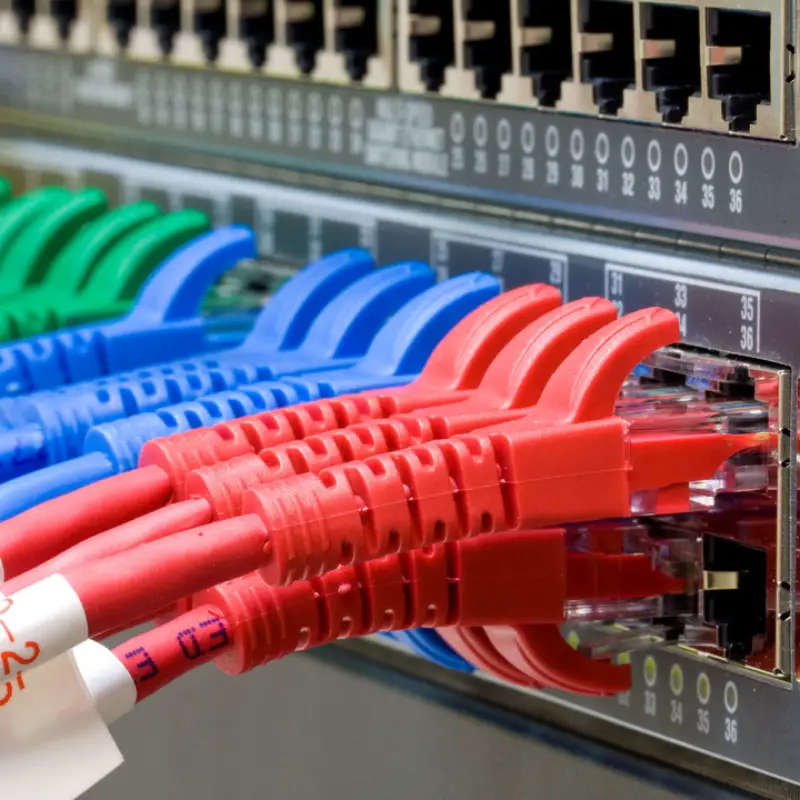
Patch Cord
A patch cord is a short cable used to connect end devices to a patch panel or switch. They come in various lengths and colors for organization.
Midrange equipment and network interface cards
Network Interface Card
A NIC provides network access to a computer or server and is available in Ethernet speeds such as gigabit and 10-gigabit (and higher).
Optical Transceiver
An optical transceiver converts electrical signals to optical signals and vice versa to use fiber cables over long distances. Common types include SFP, SFP+, and QSFP.
Main applications of network equipment
Local Area Network (LAN)
In LANs, core components include switches, cables, and NICs to share resources like printers or file servers and enable fast communication among users.
Wide Area Network (WAN)
To connect remote offices or international links, routers, copper/DSL modems, and sometimes fiber links are used.
Wireless Coverage
Access points, wireless controllers, and external antennas help ensure wireless quality and coverage.
Traffic management and security
Hardware and software firewalls, IDS/IPS, and load balancers are used to optimize performance, prevent attacks, and ensure availability.
Modern trends in network equipment
- Software-Defined Networking separating control and data processing for greater flexibility.
- Network Functions Virtualization running network functions on virtual machines.
- Internet of Things demands lightweight, low-power, secure equipment.
- 5G networks support high bandwidth and low latency.
For specialized advice on network virtualization or security services, the expert team is available to discuss suitable solutions.
Key considerations in selecting and maintaining network equipment
- Traffic estimation estimate bandwidth and number of users before buying.
- Scalability choose equipment that allows adding users and devices.
- Security pay attention to secure protocols and firewall capabilities.
- Technical support and warranty prefer reputable brands with regular software updates and after-sales service.
- Installation environment ensure proper rack cooling and reliable power supply with UPS.
Distinction between home and enterprise networking equipment
| Feature | Home | Enterprise |
|---|---|---|
| User capacity | Typically a few users | Hundreds to thousands of users |
| Management capabilities | Limited | VLAN, QoS, monitoring, advanced reporting |
| Security | Basic firewall | Hardware firewall, IDS/IPS, granular access control |
| Scalability | Limited | High with modular expansions |
نتیجهگیری
Network equipment form the core of any communications infrastructure, and selecting appropriate gear can influence performance, reliability, and security. This article has outlined active and passive categories, presented their typical use cases, and discussed trends and practical considerations for purchasing and maintenance. With a clearer understanding of these tools, you can design, deploy, and maintain your network more confidently.
برای ارزیابی پایداری، امنیت و نگهداری این زیرساخت، راهنمای پشتیبانی شبکه را نیز مطالعه کنید.