A Practical Guide to Setting Up a Home Network
This guide explains the essential steps to set up a home network and connect it to the internet, focusing on device identification, choosing between wireless or wired, and selecting key components to build a reliable network.
خلاصه تخصصی مقاله
This guide explains the essential steps to set up a home network and connect it to the internet, focusing on device identification, choosing between wireless or wired, and selecting key components to build a reliable network.
موضوعات اصلی: network، you، devices، home، wired، wireless
This guide explains the essential steps to set up a home network and connect it to the internet. By identifying your devices and planning for your intended uses, you can create a stable network at home.
Why do you need a home network?
Setting up a home network helps you connect to the internet, share data, and share devices across multiple devices. When you add another computer or want to share a printer with other devices, you should set up a home network.
Determining the number of devices and choosing wired or wireless
To start, determine how many devices should be on the network. In a home network the number of devices should be more than two. Initially you need a router and you should plan whether you want a wireless network or wired.
Wireless vs Wired: A brief comparison
Wireless networks offer more flexibility and mobility, but their costs are higher than wired networks. By contrast, wired networks are cheaper and provide faster speed and reliability, and are more suitable for desktop networks.
Components needed for setting up a home network
To set up a home network you will need several main components as follows:
- Router to connect the network to the internet
- Wireless Access Point to connect wireless devices to the network
- Ethernet HUB or switch to connect Ethernet-enabled devices
- CAT5e, CAT5 or CAT6 cables with RJ-45 connectors
- Telephone cable with RJ-10 connectors
- Network broadband filters
What is the function of a router?
To set up a home network, routers have important functions, including:
- Connect the network to the internet.
- Manage traffic.
- Create a protective layer or firewall.
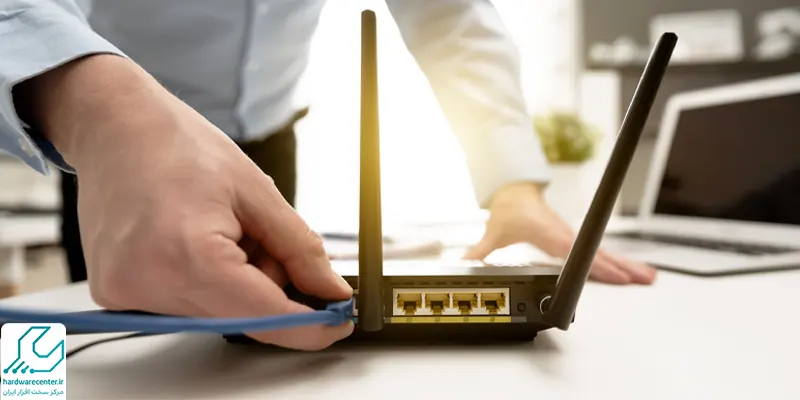
If you are using wireless and want security for your personal information, you should use a strong password. Routers have four Ethernet ports and for connecting to more devices you may need a switch.
Setting up a wireless network
In setting up a home wireless network there are no physical connections and most devices can use this network. If the distance between the router and the location you connect to the network is large, the speed may suffer.
If you need broader coverage, you can get an access point. With a wireless router you can connect dozens of devices to the network, and installation is easy. Wireless networks, like wired networks, require configuration and their speed is lower than wired networks.
Setting up a wired network
Setting up a wired home network is more challenging and takes more time, because you need to run cables and may encounter many issues. This network is suitable for devices with Ethernet ports, while devices without Ethernet ports such as mobiles and tablets usually do not work on a wired network.
To evaluate the stability, security and maintenance of this infrastructure, also study the Network Support guide.
برای ارزیابی پایداری، امنیت و نگهداری این زیرساخت، راهنمای پشتیبانی شبکه را نیز مطالعه کنید.