Practical Guide to Configuring a Network Switch
If you are new to technology, configuring a network switch can be challenging. This article summarizes expert insights to provide a comprehensive guide for getting started.
خلاصه تخصصی مقاله
If you are new to technology, configuring a network switch can be challenging. This article summarizes expert insights to provide a comprehensive guide for getting started.
موضوعات اصلی: network، switch، configure، configuration، configuring، switches
What is a network switch?
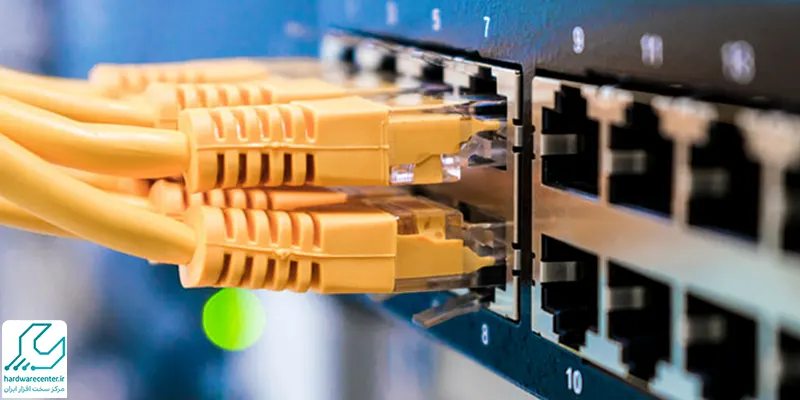
A network switch is a Layer 2 device used to forward frames from one device to another within the same network. It forwards a frame through one of its ports based on the destination MAC address in its MAC address table.
What are switches used for?
Network switches connect multiple devices to form a local area network (LAN) and direct data to network resources. They are sometimes referred to as network bridges.
Understanding types of network switches
Switches come in two main types: unmanaged and managed. Unmanaged switches can operate with power and a network cable without any configuration, commonly used in homes or small conference spaces.
Why configure a switch?
In larger networks with high traffic, configuring the switch can improve security and efficiency by restricting access to unauthorized areas and optimizing traffic flows.
Configuring a Cisco network switch
The following are the main steps for configuring a Cisco switch. By following these steps, you can perform a basic configuration.
- Connect to the console.
- Set a management IP address and a default gateway.
- Set the hostname and domain name.
- Configure passwords for VTY lines and the console.
- Set the Privileged EXEC password.
- Enable SSH.
- Create VLANs and configure them.
- Assign access ports to VLANs.
- Configure trunk ports.
- Save the configuration.
To evaluate the reliability and security of the infrastructure, refer to the network support documentation.
برای ارزیابی پایداری، امنیت و نگهداری این زیرساخت، راهنمای پشتیبانی شبکه را نیز مطالعه کنید.