What is a Network Interface Card and What Is It Used For
An overview of what a NIC is, how it connects devices to networks, and its main uses in LANs, WANs, and enterprise environments.
خلاصه تخصصی مقاله
An overview of what a NIC is, how it connects devices to networks, and its main uses in LANs, WANs, and enterprise environments.
موضوعات اصلی: Network، data، NIC، NICs، can، enterprise
What is a Network Interface Card and What Is It Used For
A network interface card (NIC) is the hardware component that connects a computer to a network. It can be built into the motherboard or added as a separate card. The NIC converts the computer's digital data into network signals and back again.
1. Connecting to a Local Area Network (LAN) or Wi‑Fi
In wired networks the connection is through the Ethernet port and network cable; in wireless networks it uses a Wireless Network Adapter and antenna. NIC converts digital data to signals that can be transmitted over cable or radio and reaches the destination.
In enterprise networks, NICs with speeds of 1 Gbps or 10 Gbps are commonly used to minimize data transfer delays.
2. Data transfer in the Data Link Layer
From the OSI perspective, NIC operates in the Data Link Layer (Layer 2) and is responsible for transmitting data frames. NIC uses its unique MAC Address to determine the destination device. In simple terms, data moves from one computer to another within the same local network.
Real-world example: In an office network, when employee A sends a file to employee B, NIC handles the transfer by converting data into electrical or wireless signals and sending to the destination.
3. Access to Internet via Router or Switch
NIC also serves as the interface between the computer and the router or network switch. When you enter a site URL in the browser, the request goes through the NIC to the router and then to the Internet. The NIC driver translates software data into hardware-understandable signals to ensure a smooth connection.
If the NIC driver is not installed correctly, the system may not detect the network even if a physical Ethernet cable is connected.
4. Facilitating communication between servers and clients in enterprise networks
In enterprise environments, NICs are the primary means of communication between servers and clients. A server typically has multiple NICs to handle concurrent traffic or to segment traffic using VLANs. High-end NICs offer features like Load Balancing and Failover to avoid downtime if a port fails.
For example, in a large organization with multiple file, web and database servers, NIC plays a key role in reliability and data transfer speed.
In simple terms, the NIC's job is to connect computers and other devices on the network. It converts data produced by software into signals that can be transmitted over cables or wireless. Without it, no device can send or receive information over the network.
In OSI terms, the NIC's function can be summarized in three parts: converting data to signals, delivering to the correct destination based on MAC address, and maintaining a stable connection between devices and the network. This process occurs in Layer 2 and underpins the operation of local and enterprise networks.
Finally, if you still wonder what exactly the NIC does, it is the bridge between hardware, the operating system, and the network; without it, data exchange in a network would not be possible.
Sections and components of a NIC
Sections and Components of a NIC
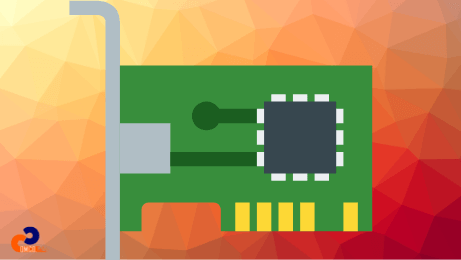
Internal components include memory, connectors, processor, LED indicators, bus interface, and mounting bracket. NICs are available with Full-Height and Low-Profile brackets. The physical identity of the device is stored in EEPROM as the MAC Address. LED indicators show connection status and data activity.
| Component (English) | Name (فارسی) | Function / Role |
|---|---|---|
| Processor (Controller Chip) | پردازنده | Converts data from the computer into network signals and vice versa. |
| Connector (RJ45 / Port) | کانکتور یا پورت شبکه | Links the network cable to the NIC, establishing a physical connection. |
| EEPROM (MAC Address Storage) | حافظه EEPROM | Stores the unique hardware ID (MAC address) used for network identification. |
| LED Indicators | چراغهای وضعیت | Show the current connection status (active/inactive, speed, data flow). |
| External Memory (Buffer) | حافظه موقت خارجی | Temporarily stores data packets before transmission or after reception. |
| Bus Interface (PCIe / USB) | رابط گذرگاه (باس) | Connects the NIC to the computer’s motherboard for communication. |
| Bracket (Mounting Plate) | براکت نصب | Fixes the NIC securely inside the PC or server chassis. |
مزایا
Advantages of a NIC
The NIC is a vital component of network infrastructure, enabling physical connectivity and offering features that enhance speed, reliability, and security.
1. Increased data transfer speed (1 to 10 Gbps)
Modern Ethernet NICs support speeds from 1 to 10 Gbps, which is important for high-traffic environments such as data centers and enterprise networks.
NICs can provide high data transfer rates to ensure reliable and fast communication in enterprise environments.
2. Multi-port capability (Teaming)
Some NICs have multiple physical ports that can be configured in Teaming mode. Several ports can be combined to increase total bandwidth and provide failover protection.
- Increased aggregate bandwidth
- Failover when a port fails
For large organizations requiring high availability, this is critical.
Example: on a file server, if one network port fails, another port immediately takes over without users noticing downtime.
3. Greater stability than Wi‑Fi in enterprise networks
Wired connections are typically more stable and secure than wireless for high data volumes, thanks to reduced radio interference and lower latency.
Using appropriate Cat6/Cat6a cabling with Gigabit NICs helps achieve maximum stability and quality.
4. Virtual NICs support (Virtual NICs in VMware and Hyper‑V)
Advanced NICs support virtualization. In virtualization platforms like VMware ESXi or Microsoft Hyper‑V, a single physical NIC can host multiple virtual NICs for multiple virtual machines sharing the same hardware.
- Reduced hardware costs
- Improved network resource utilization
- Increased deployment flexibility
معایب
Disadvantages of a NIC
Despite many advantages, NICs can have drawbacks. Some considerations include complexity of configuration, the need for proper network design, and security considerations that require management.
- Complex configuration for certain networks
- Requires careful network design for optimal performance
- Potential security risks that require proper protection
Conclusion: The NIC is a fundamental bridge between hardware, software, and networks; understanding its components and behavior helps in designing and maintaining robust networks.
برای ارزیابی پایداری، امنیت و نگهداری این زیرساخت، راهنمای پشتیبانی شبکه را نیز مطالعه کنید.