Monitoring and Managing the DHCP Protocol: Preventing IP Conflicts and Access Issues
DHCP is a vital network protocol that automatically assigns IP addresses to devices. This article examines practical methods for monitoring and managing DHCP to prevent IP conflicts and network access problems.
خلاصه تخصصی مقاله
DHCP is a vital network protocol that automatically assigns IP addresses to devices. This article examines practical methods for monitoring and managing DHCP to prevent IP conflicts and network access problems.
موضوعات اصلی: DHCP، network، Conflicts، devices، Access، prevent
Monitoring and Managing the DHCP Protocol: Preventing IP Conflicts and Access Issues
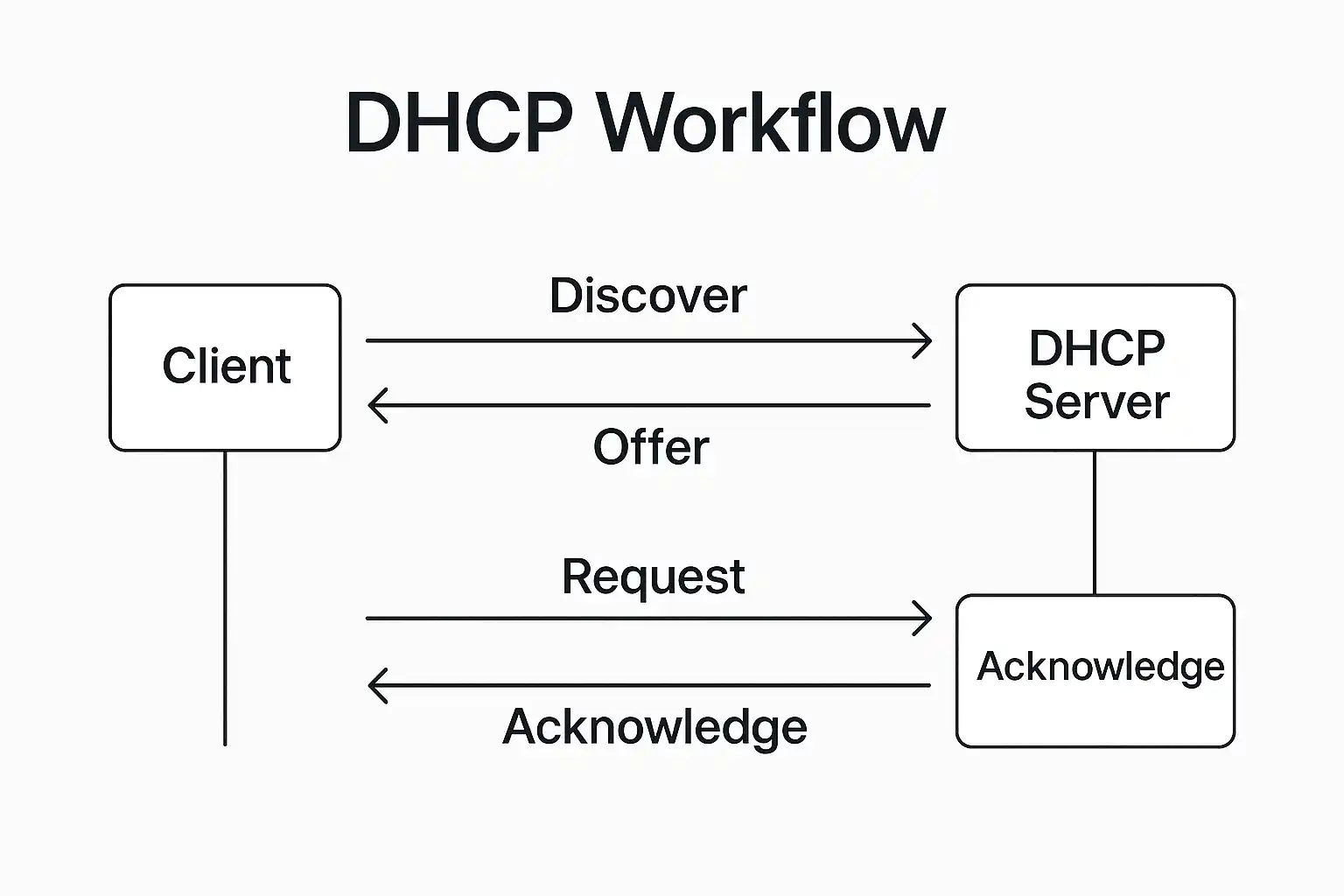
DHCP (Dynamic Host Configuration Protocol) automatically assigns IP addresses to devices on the network, making its proper management essential for large networks. Misconfigurations can lead to IP conflicts or loss of network access. This article reviews practical approaches for monitoring and managing DHCP to prevent these issues.
DHCP assigns IP addresses automatically and enables administrators to manage thousands of devices. If DHCP is not properly monitored or managed, IP conflicts or loss of network access may occur.
Functions and Role of DHCP in the Network
DHCP automatically assigns available IP addresses to newly connected devices, preventing IP conflicts and duplicate IP usage. It also controls the lease duration to ensure IPs are released appropriately when devices disconnect.
Importance of DHCP in Computer Networks
DHCP reduces manual configuration and simplifies device provisioning. Central IP management by a DHCP server lowers the risk of IP conflicts and wasted network resources.
Common DHCP-Related Problems
Despite its benefits, misconfigurations or software issues can cause problems such as IP conflicts and network access issues.
What is IP Conflict and How Does It Occur?
IP conflict occurs when two or more devices receive the same IP address. This may result from misconfigured DHCP or manual IP assignments, leading to connectivity loss for affected devices.
Network Access Problems Due to Misconfigured DHCP
If the IP range or Lease Time is misconfigured, devices may temporarily or permanently lose network access, failing to obtain a valid IP address.
Practical Ways to Resolve DHCP Issues and Prevent IP Conflicts
Proper DHCP management helps prevent IP conflicts and access problems. The following practical steps optimize network operation.
- 1. Correctly configure IP Range
Define a specific and appropriate range for IP addresses to avoid overlap and duplication.
- 2. Reserve IP for key devices
Reserve a fixed IP for servers, printers, or routers to ensure consistency.
- 3. Use IP Exclusion to prevent conflicts
Exclude manually assigned IPs from the DHCP pool to prevent reallocation.
- 4. Set an appropriate Lease Time
Adjust Lease Time based on network type and device count to minimize repeated IP assignments and conflicts.
- 5. Configure Proper Binding and resolve IP Conflicts
Use DHCP logs and network tools to identify devices with conflicts and assign fixed or reserved IPs as needed.
- 6. Regular DHCP and network Monitoring
Use appropriate monitoring tools to track IP status and DHCP health, enabling quick problem detection.
- 7. Training and Documentation of DHCP Settings
Maintain accurate documentation and regular training to ensure consistent configurations among team members.
- 8. Regular Updates of DHCP Server Software
Keep DHCP server and management tools up to date to improve security and functionality.
- 9. Regular Backups of DHCP Configuration
Regular backups enable rapid recovery in case of server failure or misconfiguration.
- 10. Implement Security Policies for DHCP
Apply measures such as MAC filtering and DHCP Snooping to protect against attacks and ensure DHCP integrity.
برای ارزیابی پایداری، امنیت و نگهداری این زیرساخت، راهنمای پشتیبانی شبکه را نیز مطالعه کنید.