Understanding Network Outlets and Installation Procedures
This article explains network outlets, their types, and the proper installation of keystone jacks, along with maintenance and selection tips for reliable passive network infrastructure.
خلاصه تخصصی مقاله
This article explains network outlets, their types, and the proper installation of keystone jacks, along with maintenance and selection tips for reliable passive network infrastructure.
موضوعات اصلی: Network، outlets، Use، cable، connections، outletExplanation
Understanding Network Outlets
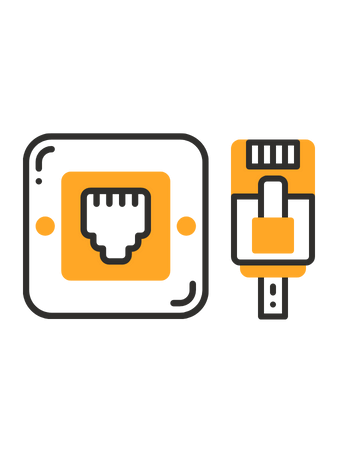
This article explains the role of network outlets in passive network infrastructure and how they facilitate connections between cables and network equipment such as routers, switches, and modems. A network outlet serves as the interface between the network cable and the connected devices, enabling access to the network port.
Types of Network Outlets
- In-wall outlet
- Explanation: Installed inside walls, hidden from view, providing a neat appearance.
- Use: Suitable for offices and homes with permanent installations.
- Surface-mount outlet
- Explanation: Mounted on wall surfaces, easier to install.
- Use: Good for environments where frequent changes or temporary setups are needed.
- Shuttered outlet
- Explanation: Includes a protective cover to block dust and foreign objects from entering the jack.
- Use: Suitable for industrial environments requiring higher protection.
- Non-shuttered outlet
- Explanation: Without a protective cover, ports are readily accessible.
- Use: Appropriate for offices and homes without extra protection needs.
Proper Installation of Keystone Jack
Step 1 Remove about 2.5 cm of the outer PVC jacket of the network cable. Use the proper stripping tool and avoid turning the jacket around the cable more than once to prevent damage. A punch-down tool is typically used for CAT5 keystones to secure the wires firmly. If you use a cutter, be careful not to nick the insulation.
Step 2 Untwist and arrange the conductors carefully to minimize crosstalk. Do not strip more than about 2.5 cm. Place the wires into the keystone according to the color code indicated on the label.
Step 3 If the wires are still loose after punching, repeat the process or slightly rotate the tool to complete the connection and ensure a solid fit.
Maintenance to Prevent Failures and Reduce Noise
Periodic inspection Check outlets and connections regularly to prevent physical damage or loose connections.
Cleaning Keep outlets free of dust with a soft cloth. Avoid strong chemicals.
Use of electrical protection Use appropriate surge protectors to prevent damage from power fluctuations.
Avoid cable strain Manage cables properly to avoid excessive stress on connections.
Replacing old outlets Replace outlets that are damaged or not compliant with current standards.
Using noise-reducing components In high-noise environments, use shielded outlets to minimize electromagnetic interference.
How to Choose the Right Network Outlet
Based on network needs, cable type, and installation environment (in-wall or surface-mounted).
How to Install a Network Outlet
Choose a suitable location, route the cable through the wall, connect the wires to the keystone, and insert the keystone into the faceplate.
Differences Between In-wall and Surface-mounted Outlets
In-wall outlets are installed inside walls and offer a neater appearance, while surface-mounted outlets are on the wall surface and are easier to install.
How to Troubleshoot Common Network Outlet Issues
Check the wire color order, use proper tools, ensure tight connections, and perform a final test with a network cable tester.
Do Network Outlets Affect Internet Speed?
Standard network outlets can reduce interference and improve data transfer speeds.
Can Old Outlets Be Used for New Cables?
No, each cable requires an outlet compatible with its bandwidth.
برای ارزیابی پایداری، امنیت و نگهداری این زیرساخت، راهنمای پشتیبانی شبکه را نیز مطالعه کنید.