Practical Troubleshooting of Common NAT Overload and Port Forwarding Errors
A practical guide to common NAT Overload (PAT) and Port Forwarding errors, outlining actionable troubleshooting steps and configuration best practices to maintain network security and reliability.
خلاصه تخصصی مقاله
A practical guide to common NAT Overload (PAT) and Port Forwarding errors, outlining actionable troubleshooting steps and configuration best practices to maintain network security and reliability.
موضوعات اصلی: پشتیبانی شبکه، امنیت شبکه، مانیتورینگ شبکه، فایروال، NAT، دسترسی
A core responsibility of network managers is to ensure correct address translation and reliable access to internal services. NAT Overload (PAT) and Port Forwarding are two key tools that enable address translation and access to internal services. However, misconfigurations can lead to connectivity problems or exposure of internal resources. This article provides practical troubleshooting steps and best practices to improve performance and security.
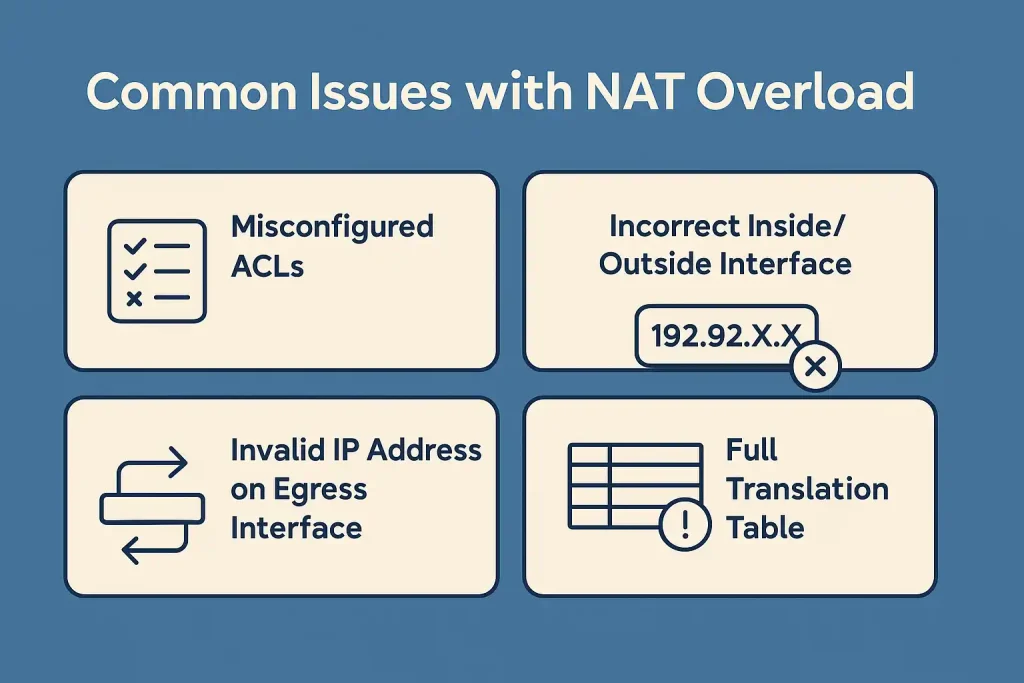
Common NAT Overload Errors
NAT Overload, also known as PAT, allows multiple internal users to share a single public IP address to reach the Internet. Incorrect configurations can cause connection issues or service access problems.
1. Misconfiguration of ACLs (Access Control Lists)
- Properly configured ACLs define which traffic is allowed or blocked; mistakes may prevent some traffic from passing through NAT.
- Result: users cannot reach the Internet or some services fail.
2. Incorrect Inside/Outside Interface definitions
- If Inside and Outside are defined incorrectly, no translation occurs.
- This is common, especially in multi-layer networks.
3. No valid IP on the outbound interface
- NAT requires a public IP on the outbound interface of the router or firewall.
- Using an invalid or reserved IP can break connectivity.
4. Translation Table overflow
- When many users are behind NAT and the translation table fills up, new connections cannot be established.
- This often happens in high-traffic networks.
Common Port Forwarding Errors
Port Forwarding or Destination NAT enables external users to reach internal services through the Internet. Misconfigurations can cause access issues or security risks.
1. Wrong port or port closed on the firewall
- The forwarded port must match the internal service.
- If the port is closed on the firewall, correct NAT configuration alone will not work.
2. Port conflicts with other services
- Sometimes a port is used by multiple services (e.g., port 80 for a web server and a DVR).
- This can make only one service accessible.
3. Incorrect destination IP (Private vs Public)
- If a public IP is configured instead of the private IP of the device, Port Forwarding will not work.
- This is a common issue for home users.
4. Double NAT or NAT Reflection
- Some routers require NAT Reflection when internal users access the public IP.
- If unsupported or misconfigured, internal access to the service may fail.
Troubleshooting NAT and Port Forwarding
For efficient troubleshooting, consider the following steps.
1. Check Translation Table with show ip nat translations
- On routers, this command shows the translation table and its status.
- If entries do not appear, Inside/Outside or ACL may be misconfigured.
- Example: an output indicating translation status.
2. Check logs for NAT errors
- Syslog or Console logs can reveal NAT-related issues.
- Messages like translation failed or port already in use are important alerts.
- Send logs to a Syslog server for a history of events.
3. Test Port Forwarding with command-line tools or online services
- Use tools like telnet or nc to test ports.
- Online services can help verify port openness.
- If the port is closed, investigate port conflicts or firewall blocks.
4. Monitor port usage and resolve conflicts
- Monitor ports in use on servers or routers (e.g., with netstat).
- If a port is used by two services, shift one to another port.
Summary table of troubleshooting methods
| Step | Tool/Command | Purpose | Expected Result |
|---|---|---|---|
| Check Translation Table | show ip nat translations | Display NAT table | Ensure correct IP translations |
| Check logs | Syslog / Console | Identify NAT errors | Find errors like translation failed |
| Test ports | telnet or online services | Test port openness | Verify access to internal service |
| Monitor ports | netstat -an | View ports in use | Resolve service conflicts |
Best practices for configuration
For stable NAT Overload and Port Forwarding, follow these principles.
Accurate Inside/Outside definitions
- Defining Inside and Outside correctly is the first step.
- A mistake here can prevent translation.
- Always configure the LAN as Inside and the Internet/WAN as Outside.
Use non-default ports for sensitive services
- Common services like web servers or remote management are frequent targets.
- For security, map these services to non-default ports.
- Example: use an alternative port instead of the standard one.
Continuous NAT Table monitoring
- NAT translations should be monitored regularly to detect table overflow or errors.
- Use CLI commands or network monitoring tools.
- Monitoring helps identify anomalous patterns and resource overuse early.
Documentation and testing before deployment
- Document changes to NAT and Port Forwarding (time, reason, responsible person).
- Test in a lab or limited network before applying organization-wide to prevent outages.
- Documentation also aids the network support team in faster troubleshooting.
Special notes for network managers
- Managing NAT with Dual ISP environments and related challenges
- Keep router/firewall firmware up to date for reliability and security
- Consider using VPN to secure remote access instead of direct Port Forwarding
Final thoughts
Properly configuring NAT Overload and Port Forwarding is crucial to ensure users can reach critical services while maintaining network security. Following best practices helps reduce errors and improve stability.
برای ارزیابی پایداری، امنیت و نگهداری این زیرساخت، راهنمای پشتیبانی شبکه را نیز مطالعه کنید.